
Download the b55 App — Casino, Sports & Live Games on Your Phone
The b55 App puts the full platform in your pocket. Deposit with JazzCash or Easypaisa in under 3 minutes, place bets on PSL and live cricket, and cash out in about 37 minutes — all from one free APK on Android.
- SSL Encrypted
- 18+ Only
- 24/7 Support
- Free APK
b55 App — Download Details
Everything you need before tapping that install button. The b55 APK is free, works on most Android phones sold in Pakistan since 2020, and takes less than a minute to install once downloaded.
| App Version | 3.8.6 |
|---|---|
| File Name | b55.apk |
| File Size | 36 MB |
| Minimum Android | Android 8.0 (Oreo) |
| Last Updated | 21 November 2026 |
| Price | Free |
| Languages | English / Roman Urdu |
| iOS | Add to Home Screen via browser |
iPhone / iOS Users
There is no iOS App Store listing. Use Safari to add the b55 website to your home screen — it works like a full app.
- Open b55.fun in Safari on your iPhone.
- Tap the Share button (box with upward arrow) at the bottom of Safari.
- Scroll down and tap "Add to Home Screen".
- Give it a name (e.g. b55) and tap Add.
- Launch it from your home screen — it opens full-screen without a browser bar.
For a dedicated iOS experience, see our iPhone guide.
Games You Can Play Right Now
From live blackjack tables to fast fishing games, the b55 App carries the full game lobby. Two popular titles below give you an idea of what's waiting after you log in.


RTP 96.2% · Bets from Rs 20 to Rs 10,000. The go-to card game for Pakistani players, optimised for one-handed play on mobile.
RTP 97.1% · Bets from Rs 5 to Rs 100,000. Fast rounds, big multipliers, and smooth performance even on 4G connections.
Slots, live casino, fishing, lottery, and sports — all load within the b55 App without switching platforms or browsers.
Optimised for Pakistani mobile networks. Live dealer streams are stable even on standard Zong or Jazz data connections.
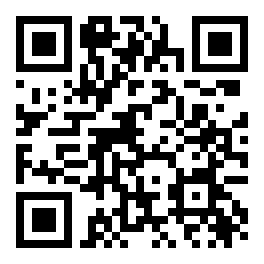
Install the App on Android — Step by Step
Android blocks APKs from outside the Play Store by default. You need to allow "unknown sources" once — it takes about 20 seconds. The b55 App itself installs in under a minute. These steps work on Android 8.0 and above.
-
1
Allow Installation from Unknown Sources
Go to Settings → Apps & Notifications → Special App Access → Install Unknown Apps. Find your browser (Chrome, Firefox, or the Samsung Internet Browser) and toggle it on. On some phones this prompt appears automatically when you tap the downloaded file — just approve it there. This setting only applies to the app you choose; it does not open your phone to all sources.
-
2
Download the APK File
Tap the "Download b55.apk" button on this page. The file is 36 MB — it downloads in roughly 30 seconds on a standard Jazz or Zong 4G connection. Check your notifications bar for download progress. When it finishes, tap the notification to open the file, or find it in your Downloads folder.
-
3
Open and Install the APK
Tap the downloaded b55.apk file. Android shows an install screen listing the permissions the app needs. Review them, then tap Install. The process takes about 15 seconds. You do not need to uninstall any previous version first — the new APK updates over the top of the old one.
-
4
Open the b55 App and Log In
Tap Open after installation or find the b55 icon on your home screen. If you already have an account, enter your phone number and password. New to b55? Tap Register inside the app — the sign-up takes under two minutes. Need a hand? Visit our registration guide for a full walkthrough.
-
5
Deposit and Start Playing
Go to Wallet → Deposit. Choose JazzCash, Easypaisa, Bank Transfer, or Raast. The minimum deposit is Rs 400. Funds arrive in about 3 minutes. Your first deposit qualifies for the welcome bonus — the app shows the offer automatically at the cashier step.
Quick Requirements
- Min. Android
- 8.0+
- File Size
- 36 MB
- Free to download and install
- No Google account needed
- Works with Zong, Jazz, Telenor data
- Auto-updates prompt inside app
- Same account as web version
Fix App Install Problems Fast
Most install failures on Pakistani Android phones share a handful of causes. The table below maps the five most common problems to their fix. If none of these work, visit the full install problems guide or contact 24/7 live chat.
| Problem | Most Likely Cause | How to Fix It |
|---|---|---|
| Install blocked by Android | Unknown sources permission not enabled for your browser | Go to Settings → Apps → Special App Access → Install Unknown Apps, then enable it for Chrome or your browser. Retry the download. |
| "Parse error" or "Package not valid" | APK file is corrupted or downloaded incompletely | Delete the existing b55.apk from your Downloads folder. Re-download it directly from b55.fun/b55-app/ using a stable Wi-Fi or 4G connection. Do not use a download manager app. |
| Not enough storage space | Device has less than ~100 MB free internal storage | Free up space by deleting unused apps or old photos. The APK needs 36 MB to download and roughly 60 MB once installed. Restart the phone after clearing space, then install again. |
| App installs but crashes immediately | Android version below 8.0, or conflicting older version of b55 App | Check Settings → About Phone → Android Version. Version 8.0 or higher is required. If you have an old b55 APK, uninstall it first (hold the icon → Uninstall), then install the fresh 3.8.6 download. |
| Google Play Protect warning | Play Protect flags all APKs not in the Play Store by default | Tap "Install anyway" on the warning screen — this is normal for all third-party APKs in Pakistan. The b55 APK is safe; it is scanned before every release. You can also disable Play Protect scanning temporarily in the Play Store settings. |
Our 24/7 live chat team handles install issues in minutes. Tap the chat button in the app or on the website, describe your Android model, and they will walk you through it.
Deposits and Withdrawals Inside the b55 App
The b55 App supports four payment methods used daily across Pakistan. All transactions happen inside the Wallet tab — no need to open a browser. Minimum deposit is Rs 400, minimum withdrawal is Rs 500, and the daily withdrawal cap is Rs 300,000.
Best for Jazz mobile subscribers. Deposits and withdrawals link directly to your JazzCash wallet — no bank account needed.
- Deposit arrives in
- ~3 minutes
- Withdrawal processed in
- ~37 minutes
- Minimum deposit
- Rs 400
- Note
- Ensure your JazzCash MPIN is set before first transaction
Works for Telenor and non-Telenor users. The Easypaisa app or USSD both work. Popular with players outside Lahore and Karachi.
- Deposit arrives in
- ~3 minutes
- Withdrawal processed in
- ~37 minutes
- Minimum deposit
- Rs 400
- Note
- Keep the transaction receipt in case of a delay
For players with MCB, HBL, UBL, Meezan or other bank accounts. Suitable for larger withdrawals up to the Rs 300,000 daily cap.
- Deposit arrives in
- ~3 minutes
- Withdrawal processed in
- ~37 minutes
- Minimum deposit
- Rs 400
- Note
- Use the exact account name on file at b55
SBP's instant payment system. Supported by most major banks. Fastest bank-based option — transfers clear in seconds at the bank end.
- Deposit arrives in
- ~3 minutes
- Withdrawal processed in
- ~37 minutes
- Minimum deposit
- Rs 400
- Note
- Link your CNIC-linked Raast ID in the b55 Wallet settings
First-time withdrawals may take up to 6 hours while your account details are confirmed. Subsequent withdrawals process in about 37 minutes. See the full withdrawal guide for step-by-step instructions.
What the App Accesses on Your Phone
The b55 App requests a small set of permissions. Below is a plain-language explanation of each one, why it is needed, and how to revoke it if you change your mind. You can manage all permissions at any time in Settings → Apps → b55 → Permissions.
-
Camera Used only if you choose to upload a document photo for account confirmation before your first withdrawal. The app never accesses your camera in the background. You can upload a photo from your gallery instead — camera permission is optional.
-
Storage / Media Needed to save your payment receipts and to let you upload photos from your gallery for account documents. The app only reads files you actively choose — it does not scan your storage or access unrelated files.
-
Notifications Sends alerts for successful deposits, withdrawal status, and bonus offers (PSL match bonuses, reload offers). You can turn off individual notification types inside the b55 App under Settings → Notifications without revoking the permission entirely.
-
Internet Access Required for all core features: loading games, processing payments, connecting to live chat. This is a standard permission for any app that connects to the internet. The b55 App communicates only with b55 servers over encrypted HTTPS connections.
-
Network State Lets the app detect whether you are on Wi-Fi or mobile data, and adjust video stream quality accordingly. This avoids buffering on slow connections — the live casino stream drops to a lower bitrate automatically on weaker 3G signals.
-
Download Only from b55.fun APKs from Telegram groups, YouTube comment links, or unknown websites may be re-packaged with spyware. The only safe source for the b55 APK is b55.fun/b55-app/. The file size is always 36 MB — a significantly smaller or larger file is a red flag.
b55 App — Common Questions
Quick answers to the questions we hear most often from Pakistani players downloading the b55 App for the first time.
Is the b55 APK safe to install?
Yes. The b55 APK file hosted at b55.fun is scanned before each release and served over HTTPS. The file is always 36 MB — if the size differs, do not install it. Android shows a Play Protect warning for all third-party APKs; this is a system default, not a signal that the file is harmful. Tap "Install anyway" to proceed safely.
Why does the b55 App not appear on the Google Play Store?
Google Play Store does not host real-money gambling apps for Pakistani users. The b55 App is distributed directly as an APK — the same method used by most South Asian betting platforms. The APK channel means you receive updates faster than through any app store review process. Always download from the official b55.fun page.
How do I update the b55 App to the latest version?
When a new version is available, the b55 App shows an update banner at the top of the lobby screen. Tap it to download the new APK directly — your account data and balance are not affected. You can also check manually: tap your profile icon → Settings → App Version. If the displayed version is older than 3.8.6, download the latest APK from this page and install it over the existing app.
What should I do if the APK installation fails with a parse error?
A parse error means the APK did not download completely — usually caused by a dropped connection. Delete the existing b55.apk from your Downloads folder, reconnect to a stable Wi-Fi or 4G network, and re-download from b55.fun/b55-app/. Do not use a third-party download manager. If the error persists after a fresh download, check that your Android version is 8.0 or above in Settings → About Phone.
Can I use the same account on both the app and the website?
Yes. Your b55 account works across the Android app, the iOS home screen shortcut, and the full website at b55.fun. Balance, bonuses, and bet history are all shared in real time. You can log in on the web via b55 login and access the same wallet. You cannot be logged in on two devices simultaneously — a new login ends the previous session.
Does the b55 App work without Wi-Fi on mobile data?
Yes. The app is optimised for Pakistani 4G networks and runs well on Jazz, Zong, Telenor, and Ufone data plans. Slots and fishing games use minimal data. Live casino streams are the most data-intensive — roughly 100–150 MB per hour at standard quality. The app automatically adjusts stream quality on weaker signals to reduce buffering. For large sessions, Wi-Fi is recommended to avoid extra data charges.
Download the b55 App, register in under two minutes, and deposit as little as Rs 400 to claim your welcome bonus. Need help at any step? The registration guide walks you through the whole process, or chat with our 24/7 support team.